The day, planned on one board.
GroundsRoute is crew scheduling for small landscaping companies. Build the day once on your board, and every crew opens their phone to just their stops.
30 days free, then $49/month. One plan with every feature, and no extra charge for more users. No card needed. Cancel any time. See pricing


Two views, one schedule
For the office
Assign jobs to crews and set the order of each day's stops. See every crew's schedule for the day or the month, and keep every customer and their job history in one place.
For the crew
Each crew signs in at your company's own link with a username and a 6-digit PIN, and sees just their stops for the day, in order, with an address and a button to mark each one complete.
What it does
Recurring jobs schedule themselves
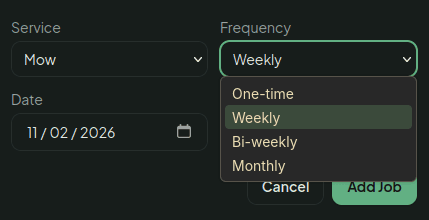
Set a job to repeat weekly, every two weeks or monthly, and the next visit lands on the board for you. A weekly mow never needs re-entering.
Stops in the order you set
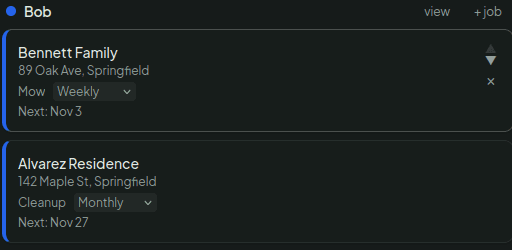
You put each crew's stops in the order that makes sense for your area, and their phone shows them in that order. GroundsRoute doesn't reshuffle them.
Rain days in one tap
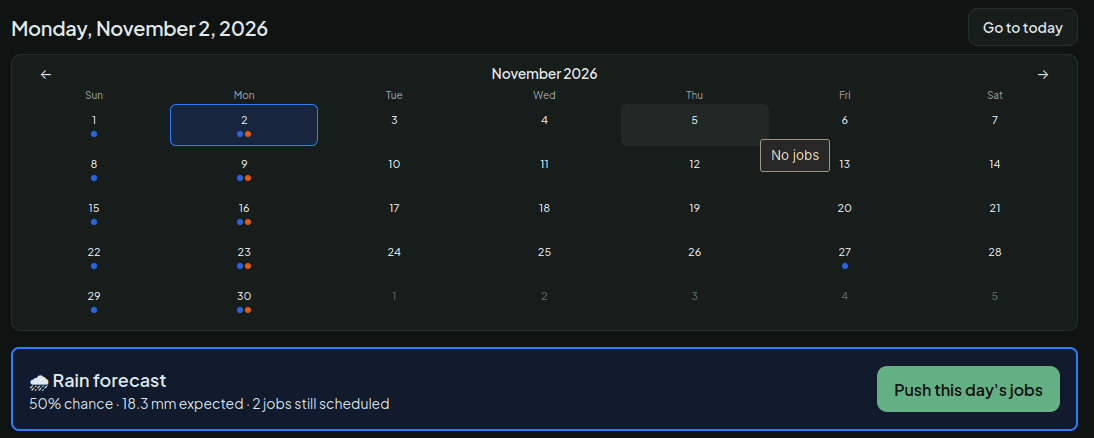
Add your ZIP code and the board warns you when rain is in the forecast. One tap moves the day's remaining jobs to the next working day, and crew phones update right away.
Every job has a crew
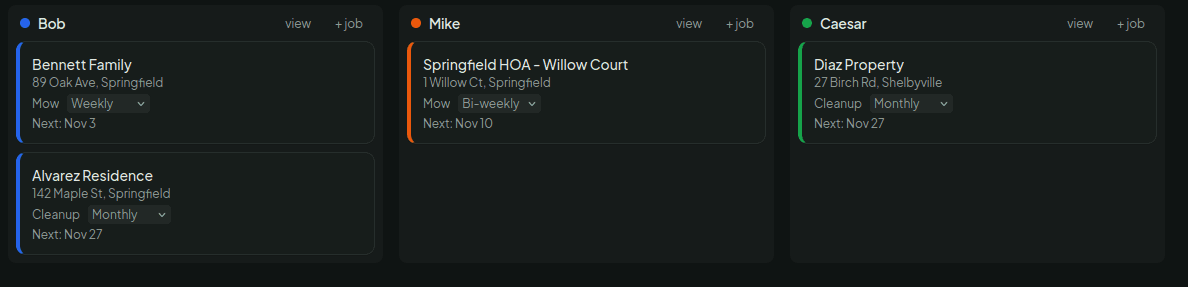
Assign each job to a crew, or to a named employee if that's how you run things. Move a job to another crew and it moves on their phones too.
How it works
- 1
Add your customers.
- 2
Build the day on your board.
- 3
Crews open their phone to just their stops.
Pricing
One plan, one price for everything
$49 per month
30-day free trial.
- Every feature included
- No extra charge for more users
- No card needed to start
- Cancel any time
Questions
- Does it work for a 2-person crew?
- Yes. A crew is whoever you send out together, one person or ten. You can also switch to named employees in Settings. The price is the same however many people you add.
- What happens when it rains?
- If the forecast for your ZIP code calls for rain, a banner on your board offers to move the day's remaining jobs to the next working day in one tap. You can also call a rain day yourself when the forecast gets it wrong. Crew phones show the new schedule right away.
- Do crews need to download an app?
- No. Crews open a web page on their phone's browser and sign in with a username and a 6-digit PIN that you create for them, so they don't need an email address.
- Can I cancel anytime?
- Yes. Cancel from your billing page in a few clicks. You don't need to email or call anyone.
About
GroundsRoute is built locally in the Harrisburg, PA area by Landen.
Questions? Email support@groundsroute.com.
Put your week on one board.
30 days free, then $49/month. One plan with every feature, and no extra charge for more users. No card needed to start. Add your crews and customers whenever you're ready.